Wife's ledger
Last October, I met the love of my life and got married. At the same time, I was faced with practical issues that I hadn't thought about during our courtship, one of which was household finances.
Nine years ago, I got my first job, and I moved out the following year. From then on, I began to realize where my money was going and how much I was spending. Fixed expenses like electricity, gas, and internet bills were adding up, so I couldn’t ignore them anymore.
In college, my household budget consisted of my debit card statements.
Categories like meals, coffee, and school supplies were simple, so debit card statements were enough. However, as my spending increased and became more complex, it became difficult to categorize each expense. When hanging out with friends for dinner and drinks, is that food expenses or drink expenses?
That’s when I started using the service Bank Salad.
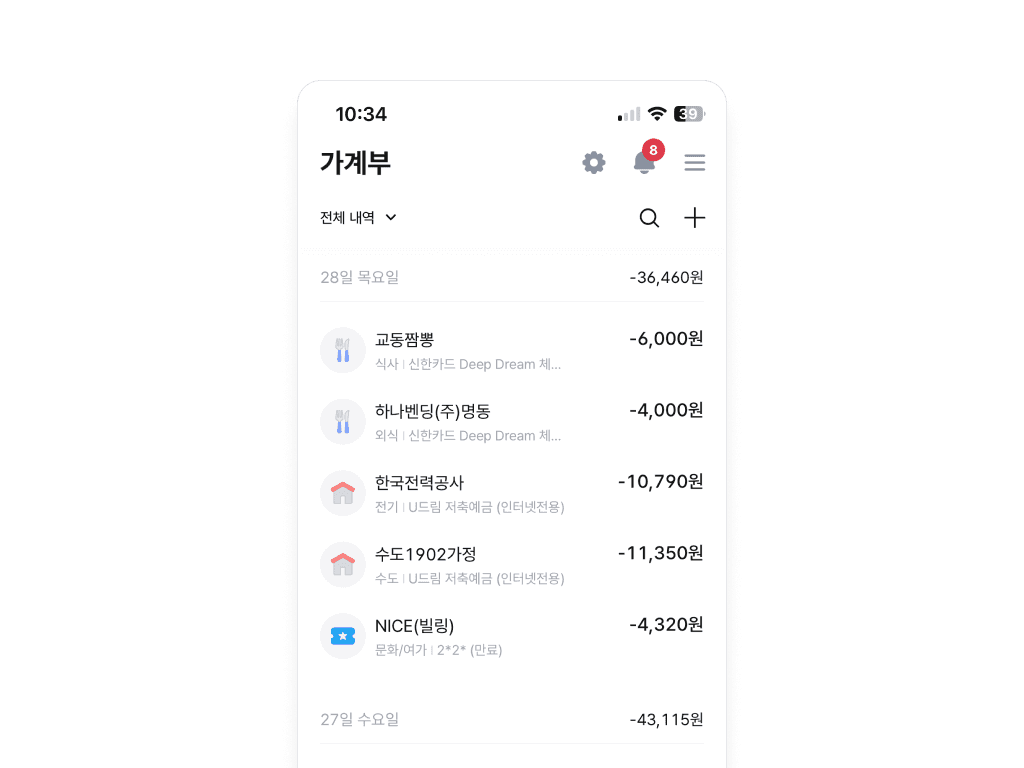
Thanks to Bank Salad, which automatically categorizes my credit card transactions, managing my expenses became easier. I could also set and check budgets.
Then one day, the Toss Check Card appeared
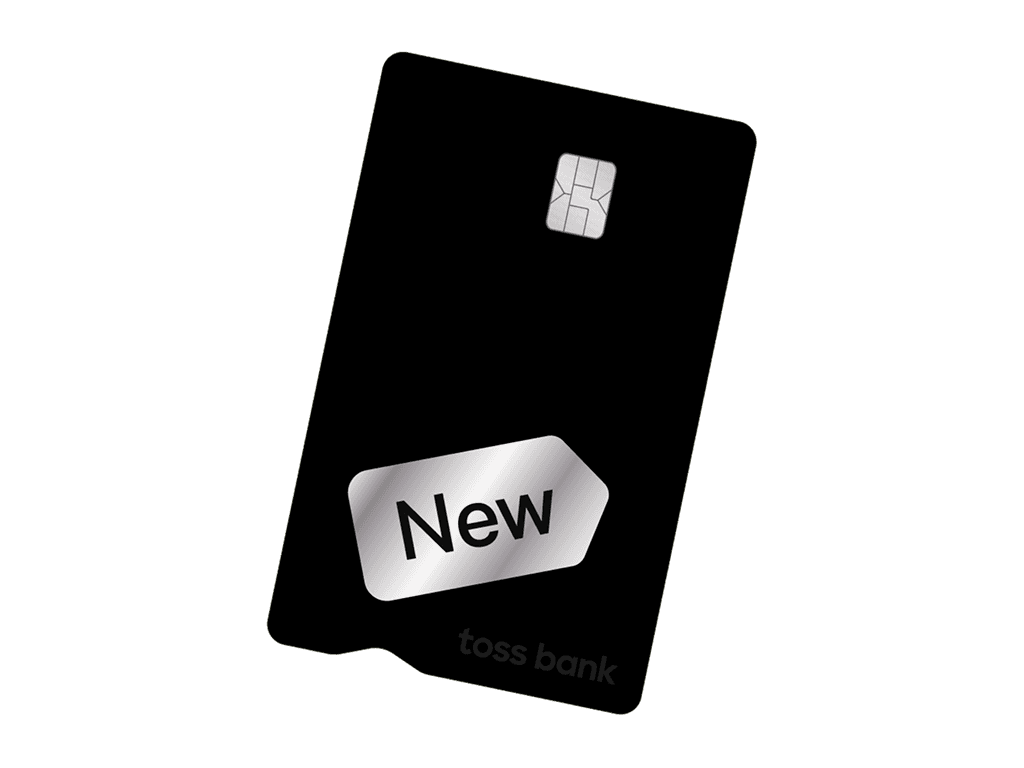
I temporarily stopped using Bank Salad after three years because of the Toss Check Card. At the time, there were no performance conditions or annual fees, and you received 300 won in cash back for each payment. You could even eat a Big Mac for less than 5,000 won! However, one problem arose.
The transactions made with Toss were not visible in Bank Salad.
Toss provided a separate "Spending" screen within its app with a convenient structure for organizing cashback details. At the time, however, Bank Salad had technical limitations when it came to scraping data from other card companies, and Toss did not share information externally. I had no choice but to move my household budget to Toss. However, there was one thing I overlooked.
The Toss Consumption tab did not have the "Download as File" feature that Bank Salad had. I needed this feature because I organize my household budget in Excel every year. I searched through various menus but could not find a way to extract the entire consumption history. My complacent belief that "it must be possible" was the problem.
So I eventually settled on “Easy Ledger”
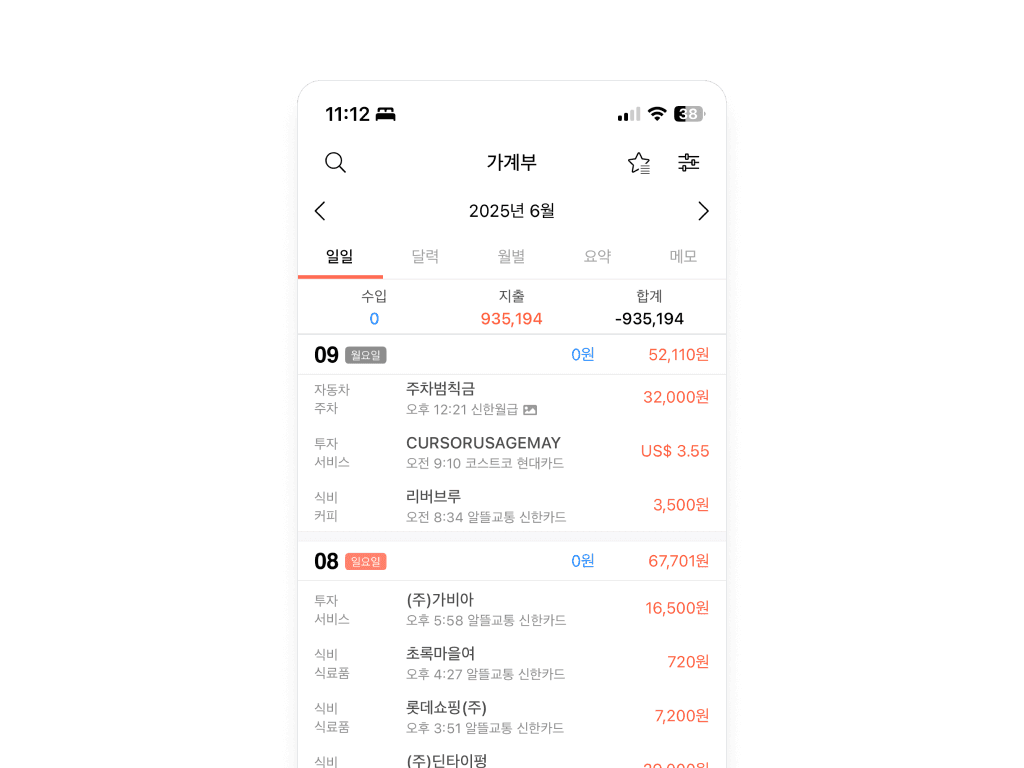
This service is simple. Just copy the text message from the card company and paste it into the app, and it automatically assigns a name. No manual work is needed for cashback or item classification. You can even automate this process using the iPhone’s shortcut feature.
And after marriage, a new category emerged: “Wife's spending.”
This transaction history cannot be accessed via MyData or credit card texts. The biggest issue is that even if you receive the information, you can never know why the spending occurred unless you ask directly. If I were to ask my wife, “Why did you buy that?” every time she made a purchase… I might be single again by now. Repeated questions are off-limits with my wife. So we made a deal.
Investments are handled by my wife, and spending management is handled by me.
My wife bought NVIDIA at the bottom during the pandemic, while I bought a local apartment at the peak and ended up with a 10% loss. It was a natural decision.
Starting the wife's household budget book
She rotates between five banks and four credit cards to maximize benefits. I downloaded transaction histories and statements from each financial institution’s website and compiled data from nine institutions into Excel. There were 385 items in total.
Categorizing each item into the 11 major categories and 42 subcategories I created was overwhelming. Just as I was wondering, "Why am I doing this?" , I encountered Claude.
I entrusted my household budget to AI
Since my company has been automating many tasks recently, I naturally tried writing a prompt for Claude. I remembered handling data with Python in college, so writing the command wasn’t difficult.
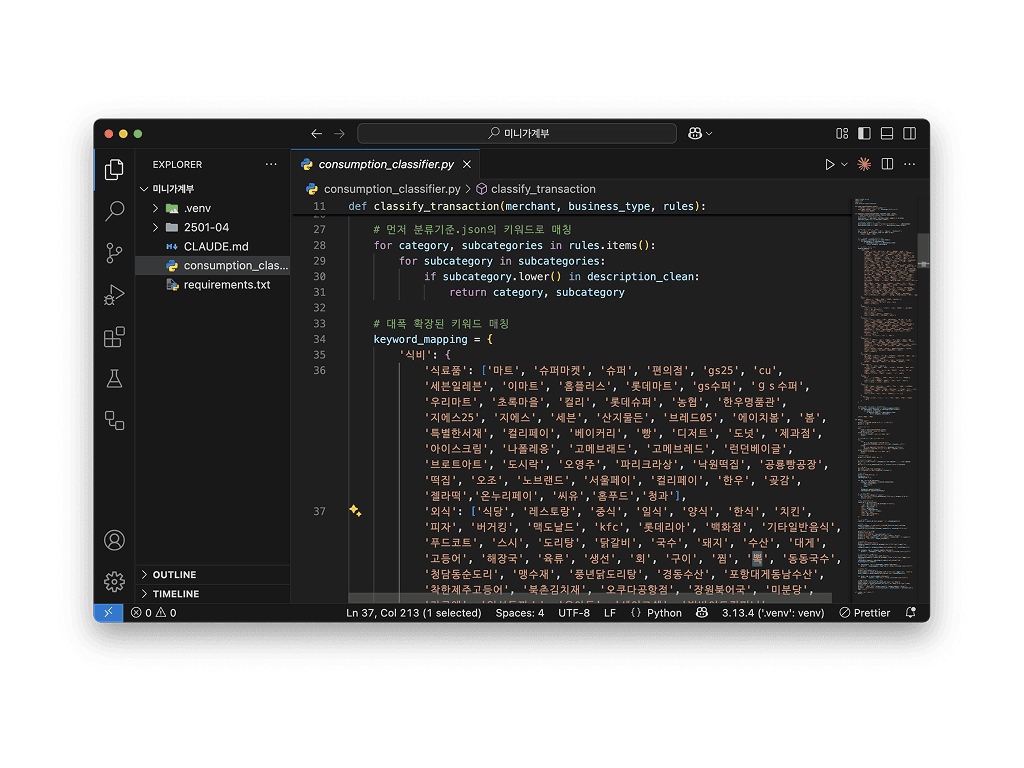
The results were astonishing. My Python screen displayed 220 lines of code containing over 500 keyword-matching tables organized in object form.
Thanks to Claude, I no longer have to ask my wife about daily payment details. Now, I have a complete household budget that allows me to view income and expenses at a glance on a quarterly basis.
Finally, I’ll share the Python code written by Claude. I hope it brings peace to many households.
import pandas as pd
import json
import re
from datetime import datetime

def load_classification_rules():
    """분류기준.json 파일을 로드합니다."""
    with open('분류기준.json', 'r', encoding='utf-8') as f:
        return json.load(f)

def classify_transaction(merchant, business_type, rules):
    """거래 내용을 분석하여 분류와 소분류를 결정합니다."""
    # 가맹점명과 업종을 결합해서 분석
    description = f"{merchant} {business_type}".lower() if pd.notna(business_type) else str(merchant).lower()

    # 특수문자 제거하되 더 관대하게
    description_clean = re.sub(r'[^\w\s가-힣a-zA-Z0-9()]', ' ', description)
    description_clean = re.sub(r'\s+', ' ', description_clean).strip()


    # 특별 처리 - 가장 먼저 처리
    etc = ['카카오페이']
    if any(name in description_clean for name in etc):
        return '기타', '기타'


    # 먼저 분류기준.json의 키워드로 매칭
    for category, subcategories in rules.items():
        for subcategory in subcategories:
            if subcategory.lower() in description_clean:
                return category, subcategory

    # 대폭 확장된 키워드 매칭
    keyword_mapping = {
        '식비': {
            '식료품': ['마트', '슈퍼마켓', '슈퍼', '편의점', 'gs25', 'cu', '세븐일레븐', '이마트', '홈플러스', '롯데마트', 'gs수퍼', 'gs수퍼', '우리마트', '초록마을', '컬리', '롯데슈퍼', '농협', '한우명품관', '지에스25', '지에스', '세븐', '산지물든', '브레드05', '에이치봄', '봄', '특별한서재', '컬리페이', '베이커리', '빵', '디저트', '도넛', '제과점', '아이스크림', '나폴레옹', '고메브래드', '고메브레드', '런던베이글', '브로트아트', '도시락', '오영주', '파리크라상', '낙원떡집', '공룡빵공장', '떡집', '오조', '노브랜드', '서울페이', '컬리페이', '한우', '곶감', '젤라떡','온누리페이', '씨유','홈푸드','청과'],
            '외식': ['식당', '레스토랑', '중식', '일식', '양식', '한식', '치킨', '피자', '버거킹', '맥도날드', 'kfc', '롯데리아', '백화점', '기타일반음식', '푸드코트', '스시', '도리탕', '닭갈비', '국수', '돼지', '수산', '대게', '고등어', '해장국', '육류', '생선', '회', '구이', '찜', '뽁', '동동국수', '청담동순도리', '풍년닭도리탕', '경동수산', '포항대게동남수산', '착한제주고등어', '북촌김치재', '오쿠다공항점', '장원북어국', '미분당', '라쿠엔', '익선돈까스', '우아동', '쉐이크쉑', '빅바이트컴퍼니', '아워홈푸디움', '에스씨케이', '짬뽕', '냉면', '족발', '보쌈', '곱창', '순대국', '김밥', '떡볶이', '분식', '샐러드바','마라탕', '마라샹궈', '족발보쌈', '곱창전골', '순대볶음', '김밥천국', '떡볶이집', '북어국', '순두부찌개', '김치찌개', '된장찌개', '비빔밥', '불고기', '갈비탕', '육회비빔밥', '냉면집', '칼국수집', '아메리칸 트레일러','제면소','우리음식','마마쿡'],
            '술': ['술집', '호프', '포차', '이자카야', '막걸리', '소주', '맥주', '와인', '칵테일', '술집', '술집/호프', '호프집', '포장마차','주류'],
            '커피': ['카페', '커피', '스타벅스', '투썸', '이디야', '커피전문점','공차', '테라로사', '브랜드카페', '너섬카페', '크레아찌온', '탐앤탐스', '카페꼼마','인텔리젠시아', '카페베네', '커피빈', '할리스', '빽다방', '커피숍', '커피전문점', '디저트카페','프릳츠'],
            '음료': ['음료', '주스', '스무디', '쥬스', '젤라또', '벤딩머신'],
            '배달': ['배달의민족', '요기요', '쿠팡이츠', '우아한형제들', '배달', '통닭']
        },
        '교통': {
            '대중교통': ['지하철', '버스', 't머니', '교통카드'],
            '택시': ['택시', '카카오택시'],
            '자전거': ['따릉이', '킥고잉', '씽씽', '빔'],
            '킥보드': ['킥보드']
        },
        '자동차': {
            '충전': ['주유소', '주유', '충전소', '충전', 'sk에너지', 'gs칼텍스', 's-oil', '현대오일뱅크'],
            '주차': ['주차장', '주차'],
            '세차': ['세차'],
            '수리': ['정비', '타이어', '엔진오일'],
            '세금': ['자동차보험', '하이패스', '통행료']
        },
        '문화생활': {
            '여행': ['여행', '호텔', '펜션', '에어비앤비', '아고다', '야놀자', '여기어때', '아시아나항공', '대한항공', '진에어', '항공', 'hilton', '힐튼', '리조트', '게스트', 'design beyond', 'eb', 'suica', 'fukuoka', 'subway', 'airport', '공항', '휴게소'],
            '영화/공연/게임': ['cgv', '메가박스', '롯데시네마', '영화', '공연', '콘서트', '스팀', '넷플릭스', '왓챠', '디즈니'],
            '음악/도서': ['음악', '도서', '책', '영풍문고', '교보문고', '알라딘', '인터파크도서', 'yes24', '반디앤루니스', '영화예매', '공연예매'],
            '어플': ['애플', '구글플레이', '앱스토어', '앱', '어플', '구독', '인앱결제', '인앱'],
            '캠핑': ['캠핑'],
            '온천/마사지': ['온천', '마사지', '스파']
        },
        '패션/미용': {
            '의류': ['유니클로', '자라', '무신사', '옷', '신발', '가방', 'h&m', '스파오', '탑텐', '지오다노', '나이키', '아디다스', '칼하트', '이랜드', '브라더스스토어', '파타고니아', '아이갓에브리띵'],
            '화장품': ['올리브영', '이니스프리', '화장품', '에뛰드', '미샤', '세포라', '아모레퍼시픽', '베네피트', '엘지생활건강', '샴푸', '포비브라이트', '블루쥬얼리'],
            '헤어': ['손보연','미용실', '헤어샵', '엠에이치앤코모던', '헤어샵', '미용실', '네일샵', '네일아트', '속눈썹연장', '왁싱'],
            '세탁': ['세탁소']
        },
        '생활용품': {
            '가구/가전': ['다이소', '이케아', '코스트코', '전자제품', '가전', '가구', '하이마트', '전자랜드', '삼성디지털프라자'],
            '주방/욕실': ['주방', '욕실'],
            '잡화': ['쿠팡', '11번가', 'g마켓', '옥션', '네이버쇼핑', '더현대', '신세계',  '롯데쇼핑', '아울렛', '현대백화점', '백화점']
        },
        '주거/통신': {
            '관리비': ['관리비', '아파트'],
            '공과금': ['전기', '가스', '수도', '공과금', '도시가스', '에너지공사', '서울에너지'],
            '통신비': ['kt', 'skt', 'lg유플러스', '인터넷', '핸드폰', '휴대폰', '통신', 'lg전자', '구독료'],
            '이자월세': ['월세', '이자','대출상환', '대출', '상환']
        },
        '경조사': {
            '결혼/부고': ['축의금', '부의금', '결혼식', '장례식'],
            '선물': ['선물', '화환'],
            '헌금': ['헌금', '조계종', '조계사', '불교', '교회', '성당'],
            '예식': ['예식', '돌잔치', '백일']
        },
        '건강': {
            '운동': ['김원', '필라테스', '헬스장', '체육관', '요가', '피트니스', '운동', 'pt', '퍼스널트레이닝'],
            '병원': ['병원', '의원', '한의원', '종합병원', '대학병원', '내과', '외과', '이비인후과', '정신과', '산부인과', '소아과', '비뇨기과', '신경과', '심리상담'],
            '보험': ['보험', '치과', '안과', '정형외과', '피부과']
        },
        '투자': {
            '서비스': ['증권', '주식', '펀드', '적금', '예금', '연금', '퇴직금', '투자']
        }
    }


    # 키워드 매칭으로 분류 (대소문자 무시)
    for category, subcategory_dict in keyword_mapping.items():
        for subcategory, keywords in subcategory_dict.items():
            for keyword in keywords:
                if keyword.lower() in description_clean:
                    return category, subcategory

    return '기타', '기타'

def main():
    """메인 함수"""
    print("🛒 소비내역 분류기 v2.0 (개선된 키워드)")
    print("=" * 60)

    # 분류 규칙 로드
    try:
        rules = load_classification_rules()
        print("✅ 분류기준.json 로드 완료")
    except Exception as e:
        print(f"❌ 분류기준.json 로드 실패: {e}")
        return

    # 소비내역 파일 읽기 (xlsx 또는 csv)
    try:
        try:
            df = pd.read_excel('소비내역.xlsx')
            print(f"✅ 소비내역.xlsx 파일 로드 완료 ({len(df):,}건)")
        except:
            df = pd.read_csv('소비내역.csv', encoding='utf-8-sig')
            print(f"✅ 소비내역.csv 파일 로드 완료 ({len(df):,}건)")
    except Exception as e:
        print(f"❌ 소비내역 파일 로드 실패: {e}")
        return

    # 데이터 전처리
    print("\n📊 데이터 전처리 중...")

    # 이용금액을 숫자로 변환
    df['금액'] = df['이용금액'].astype(str).str.replace(',', '').str.replace('원', '')
    df['금액'] = pd.to_numeric(df['금액'], errors='coerce').fillna(0)

    # 빈 값 처리
    df['업종'] = df['업종'].fillna('')
    df['이용가맹점'] = df['이용가맹점'].fillna('')

    # 분류 진행
    print("🔍 거래 분류 중...")
    categories = []
    subcategories = []

    for idx, row in df.iterrows():
        category, subcategory = classify_transaction(
            row['이용가맹점'],
            row['업종'],
            rules
        )
        categories.append(category)
        subcategories.append(subcategory)

    # 날짜 형식 처리
    if df['이용일자'].dtype == 'object':
        df['이용일자'] = pd.to_datetime(df['이용일자'], format='%Y.%m.%d', errors='coerce')

    # 결과 DataFrame 생성
    result_df = pd.DataFrame({
        '날짜': df['이용일자'].dt.strftime('%Y-%m-%d'),
        '시간': df['이용시간'],
        '자산': df['이용카드'],
        '분류': categories,
        '소분류': subcategories,
        '금액(원)': df['금액'].abs(),
        '화폐구분': 'KRW',
        '내용': df['이용가맹점'],
        '메모': df['업종']
    })

    # 날짜순 정렬
    result_df = result_df.sort_values('날짜', ascending=False)

    # CSV로 저장
    output_filename = f'최종_분류된_소비내역_{datetime.now().strftime("%Y%m%d_%H%M%S")}.csv'
    result_df.to_csv(output_filename, index=False, encoding='utf-8-sig')

    print(f"\n" + "=" * 60)
    print(f"✅ 분류 완료!")
    print(f"📊 총 거래 수: {len(result_df):,}개")
    print(f"💰 총 금액: {result_df['금액(원)'].sum():,.0f}원")
    print(f"📅 기간: {result_df['날짜'].min()} ~ {result_df['날짜'].max()}")
    print(f"💾 저장된 파일: {output_filename}")

    # 분류별 요약
    print(f"\n📈 분류별 요약:")
    category_summary = result_df.groupby('분류')['금액(원)'].agg(['sum', 'count'])
    category_summary = category_summary.sort_values('sum', ascending=False)

    for category, row in category_summary.iterrows():
        print(f"   {category}: {row['sum']:,.0f}원 ({int(row['count'])}건)")

    # 소분류별 요약 (상위 15개)
    print(f"\n🏷️ 소분류별 요약 (상위 15개):")
    subcategory_summary = result_df.groupby('소분류')['금액(원)'].agg(['sum', 'count'])
    subcategory_summary = subcategory_summary.sort_values('sum', ascending=False).head(15)

    for subcategory, row in subcategory_summary.iterrows():
        print(f"   {subcategory}: {row['sum']:,.0f}원 ({int(row['count'])}건)")

    # 자산별 요약
    print(f"\n💳 자산별 요약:")
    asset_summary = result_df.groupby('자산')['금액(원)'].agg(['sum', 'count'])
    asset_summary = asset_summary.sort_values('sum', ascending=False)

    for asset, row in asset_summary.iterrows():
        print(f"   {asset}: {row['sum']:,.0f}원 ({int(row['count'])}건)")

    # 기타 분류가 얼마나 남았는지 확인
    others_count = len(result_df[result_df['분류'] == '기타'])
    others_amount = result_df[result_df['분류'] == '기타']['금액(원)'].sum()
    print(f"\n❓ 개선 결과:")
    print(f"   '기타' 분류: {others_count}건 ({others_amount:,.0f}원)")
    print(f"   분류 정확도: {((len(result_df) - others_count) / len(result_df) * 100):.1f}%")

if __name__ == "__main__":
    main()
Comments (0)
No comments yet. Be the first to leave one!