Figma Config 2025
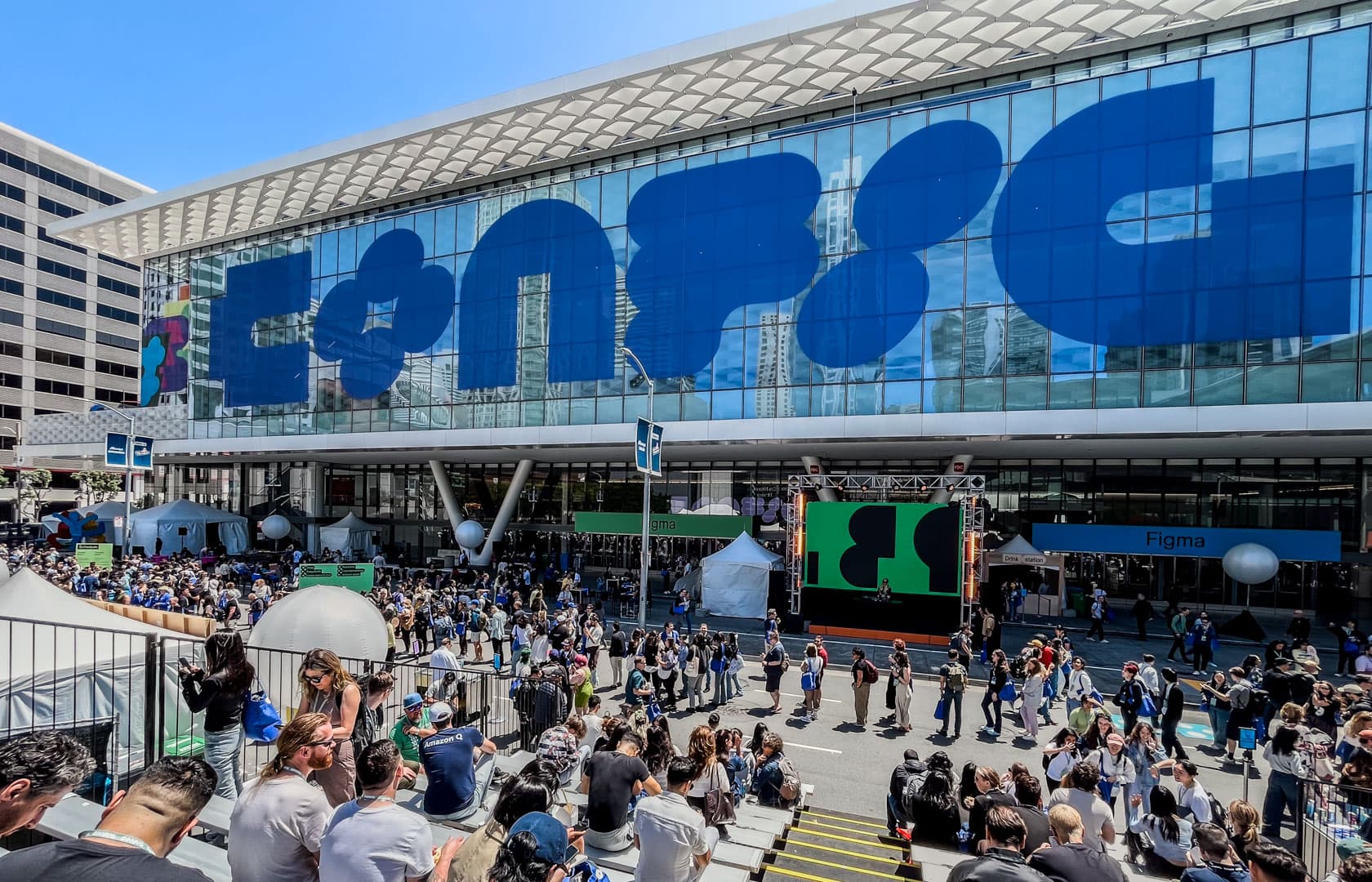
I attended the Figma Config Conference, which brought together 8,500 product designers from around the world to celebrate their craft. Figma is a tool that allows designers to collaborate on design work in a web browser. Similar to how multiple people can simultaneously edit a document in Google Docs, Figma facilitates real-time collaboration among designers.
However, at this conference, Figma announced a remarkable transformation. With this announcement, Figma is evolving from a design tool into a platform for creating functioning products.
How is software created?
Before we dive into the main topic, do you know how software is created?
- The planner decides “what to create.”
- A designer draws “how it will look.”
- A developer makes it “actually work.”
Each stage requires experts, and coordinating and communicating with each other takes a lot of time. It's similar to architecture, where the person who draws the blueprints and the person who builds the structure are different individuals. However, with Figma, one person can now handle the entire process.
Four tools that change the way we work!

1. Figma Site: Create a website with a single click
Until now, designers created beautiful visuals, which developers then translated into code. It was like looking at architectural blueprints and building an actual building. This process made it difficult to fully realize the designer's intent and took a lot of time.
Now, designers can transform their Figma designs into live websites with a single click. A URL is generated that anyone can visit, click on, and use to access the real website.
For example, what if a café owner wants to create a website? In the past, they would have to hire a designer for the design, a developer for the creation, and rent a server from a hosting company. Now, they can design directly in Figma and publish immediately with one click.
2. Figma Make: AI-assisted interaction
Figma Make is even more impressive.
If you say, "Create a rotating 3D globe," the AI will actually create one. Saying, "Make the text appear gradually as you scroll," automatically adds that effect.
In the past, creating such effects required knowledge of JavaScript, a programming language. Now, though, you can just describe what you want in everyday language. It's like asking a colleague to complete a task—you can simply request it from the AI.
3. Figma Draw: Professional-grade illustration
Figma Draw integrates professional illustration tool functionality, like that of Adobe Illustrator, into Figma. Now, you can create logos or draw complex illustrations. A wide range of features have also been integrated into Figma Design, including:
- Repeater to repeatedly place specific objects
- Text on a Path, which provides text that flows along curves
- Various features, such as Pattern Fill, Variable Width Stroke, and Texture Effect.
4. Figma Buzz: Marketing Automation
Figma Buzz automates repetitive design production tasks. For example, do you need to create 100 product banners? Enter the product names and prices into an Excel file, and 100 banners will be generated automatically.
Why is this revolutionary?
Consider MVP (minimum viable product) development in the pre-AI era. At least four people were required:
- Planner: Defines requirements and sets priorities.
- Designer: UI/UX and visual design
- Front-end developer: Implement the user interface
- Backend developer: Build the server and database
Although each role has its own area of expertise, communication costs increase exponentially. Meetings, documentation, feedback, and revisions are all necessary. In this process, the original idea becomes diluted and the production time increases.

But let's try using Figma's new tools. Now one person can:
- Design screens in Figma
- Add interactions with Make
- Deploy to Site to get real user feedback
This isn't just about efficiency. It dramatically shortens the distance from idea to execution, enabling more experimentation and significantly reducing the cost of failure.
Changes on the ground as described by Korean designers in Silicon Valley

The stories of Korean designers in Silicon Valley demonstrate that these changes are already occurring.
The meaning of prototyping has completely changed. In the past, it was about showing “this is the feel,” but now it's about showing “this is how it works.” Figma Make is the most important product that makes this possible. — Jason Kim, Product Designer at Figma
Every designer must become a SUPER IC (Individual Contributor). They must become product creators, not just screen designers. — Kyo Kim, Director of Product Design at GlossGenius
Additionally, engineers were demanding more from product prototypes.
I now use AI to create full product prototypes. These are not just click dummies; they connect to real data and track user behavior. I create a prototype based on a two-month-ahead roadmap and validate it through user testing. This allows me to assess the product's potential for success before development begins in earnest. — David Lee, AI UX Engineer at Google
What this means for us
In the future, the distinction between "I'm a designer" and "I'm a developer" will become blurred. Instead, the identity of "I'm the person who creates the OOO product" will become more important. The term "maker" is already becoming familiar in the software industry.
As technical barriers lower, anyone with an idea can create a service. For example, a restaurant owner could build their own reservation system, and a teacher could create an educational app.
However, no matter how advanced the tools become, understanding what users truly want will always be a human task. Only products that solve real user problems will survive in the coming era.
Conclusion: The Beginning of a New Era
Figma Config 2025 was more than just a product launch event. It showcased how the way we create software is changing. Figma began in 2016 with the vision of "enabling designers to work together," and is now moving toward the larger vision of "enabling anyone to create products."
The changes this will bring are just beginning. Imagine if you could bring your ideas to life immediately. What would you create?
Comments (0)
No comments yet. Be the first to leave one!